
Introducing Release Notes & the What's New Banner
We're rolling out a brand-new way to keep up with everything we ship in UnifyOS.
Faster Project Updates from List View
We’ve upgraded the Project list view so teams can update key deal information faster, without opening each project detail page.
Project rows are now directly editable from the list. You can update project name, brand, GMV, agency cut, agency cut %, signed date, and notes inline. Changes save automatically after editing, with a clear Saving / Saved indicator under the list view toggle.
We also added a new Agency Cut amount column. GMV and Agency Cut now display the correct currency prefix based on the project currency, such as $, C$, €, or ₫, making financial fields easier to scan and less error-prone.
Payment Status is now visible in the list as a clean status pill, while Creator and Manager remain locked from this view to prevent accidental reassignment.
Behind the scenes, financial edits stay synced across the platform. When GMV, Agency Cut, or Agency Cut % changes, the related creator payout and percentage values are recalculated automatically, so Project cards, Project details, invoices, and reporting continue to use the same source of truth.
A dedicated Release Notes page
Every product update now lives at /release-notes — reachable straight from the landing page and readable without logging in. Each entry has a date, a clear headline, and a full write-up with images.
The "What's New" banner
When we release something new, a banner appears at the top of your Overview. One click opens the latest note in a new tab. Already caught up? Dismiss it and it stays hidden until the next update lands.
Built for the whole team
Admins, managers, and creators all see the same updates on their Overview, so everyone stays in sync. Editing stays with our team — visitors only ever see published notes.
We're rolling out a brand-new way to keep up with everything we ship in UnifyOS.
Dedicated Release Notes Page
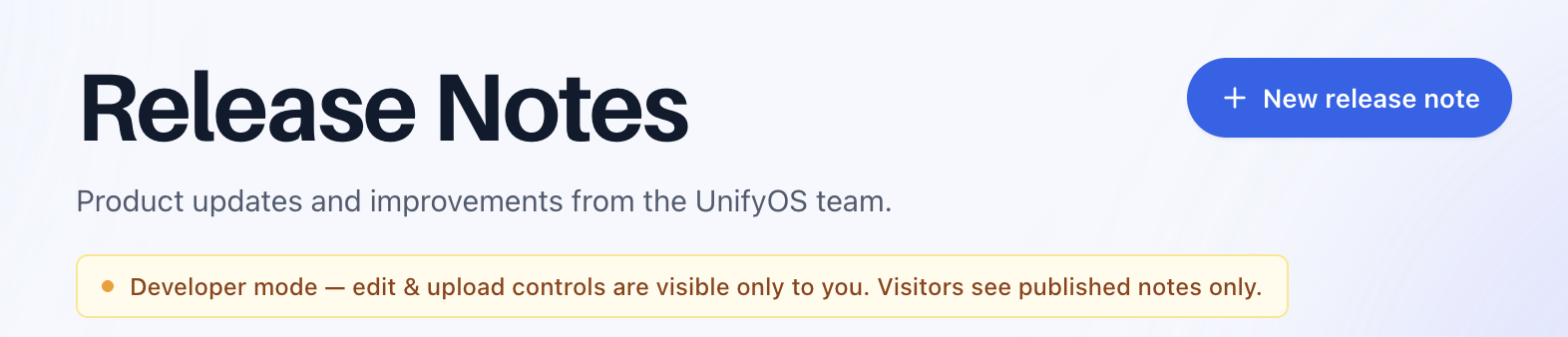
Every product update now lives at /release-notes, which is reachable from the landing page and readable without logging in. Each entry includes a date, a clear headline, and a full write-up with images so your team can quickly understand what changed.
“What’s New” Banner
When we release something new, a banner appears at the top of your Overview. One click opens the latest note in a new tab. Already caught up? Dismiss it, and it stays hidden until the next update lands.
Built For The Whole Team

Admins, managers, and creators all see the same updates on their Overview, so everyone stays aligned. Editing stays with the UnifyOS team, while visitors only see published notes.
Calendar Improvements
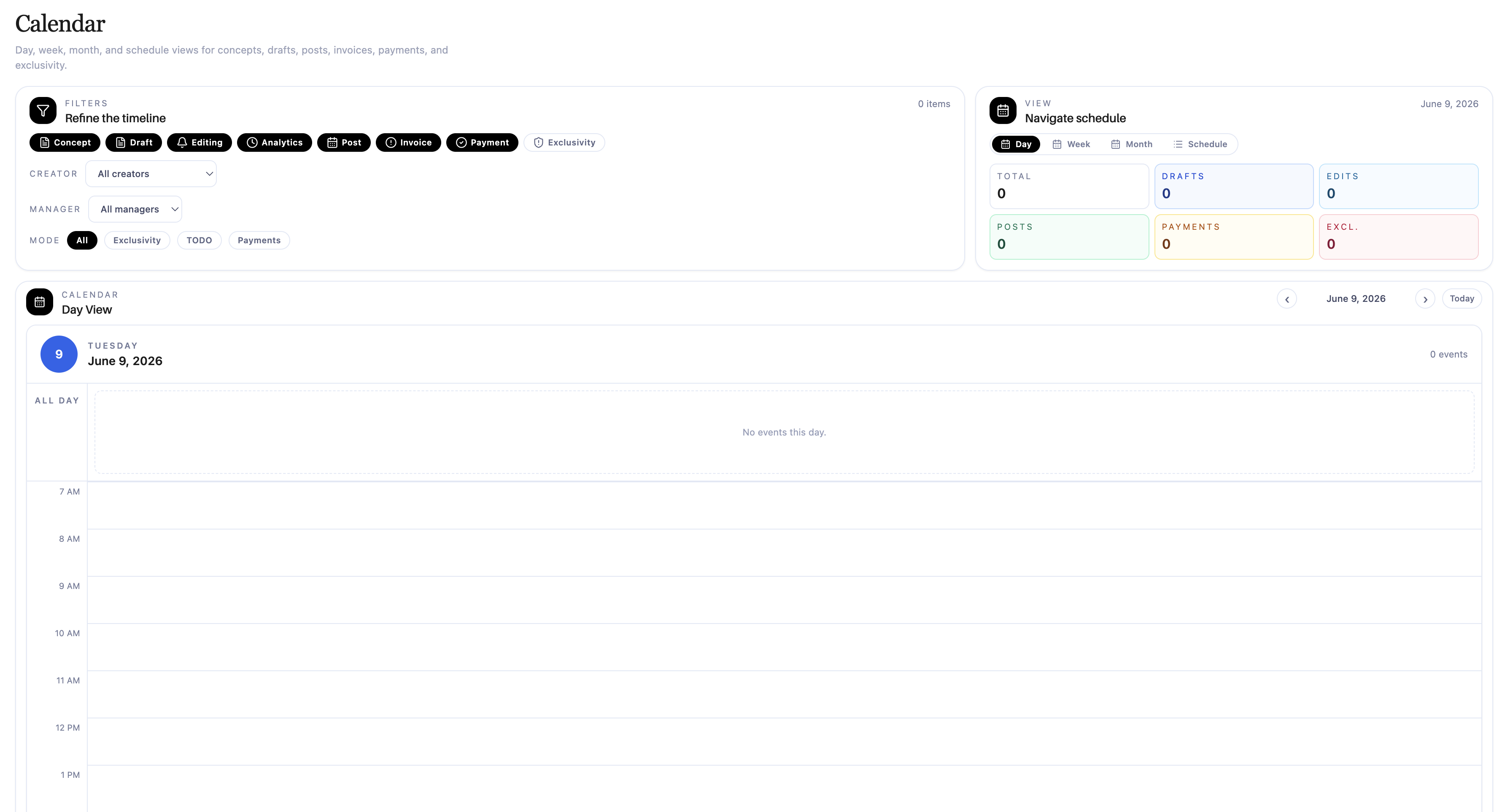
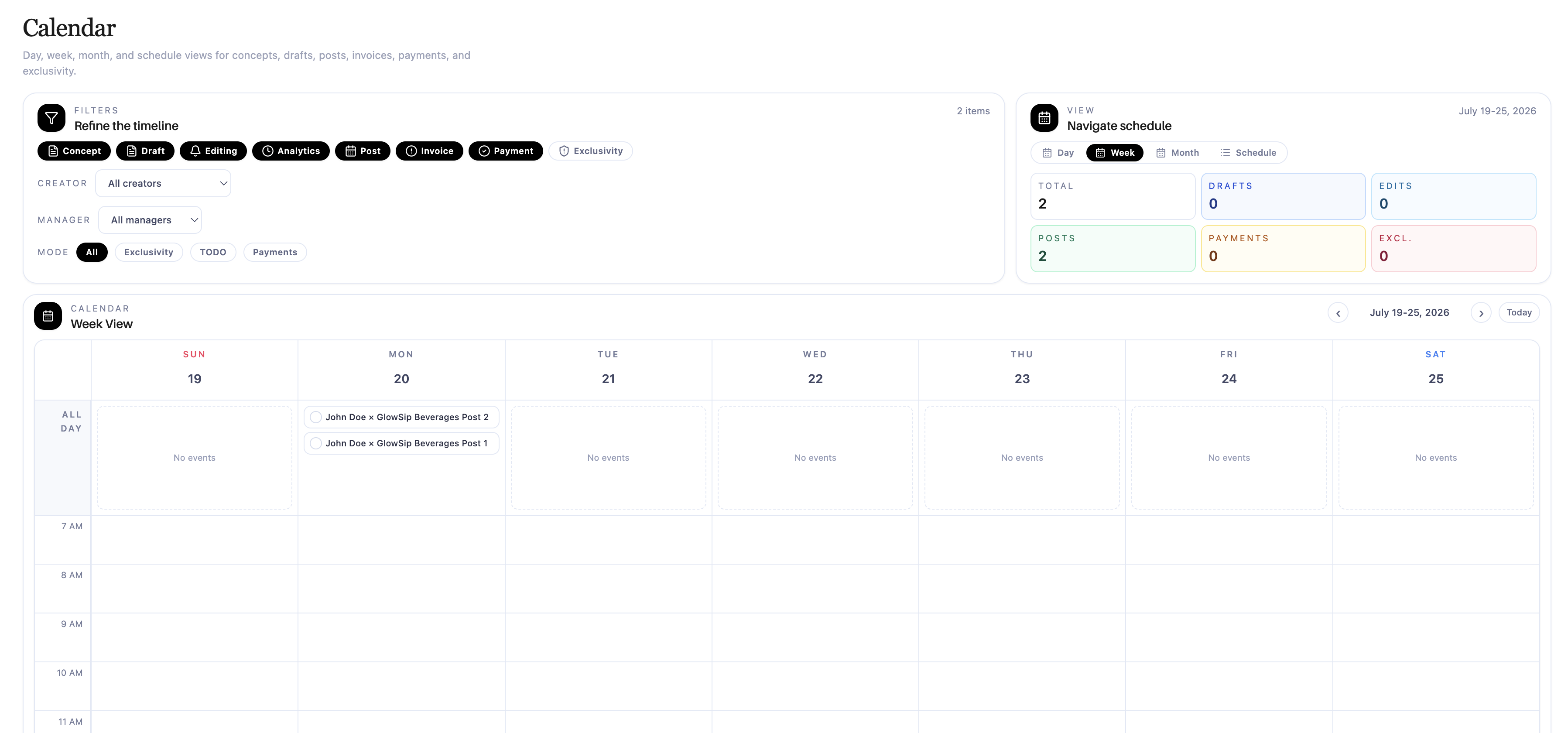
The Calendar now supports Day, Week, and Month views. Managers can move between days, weeks, or months using the navigation controls and see the events relevant to that selected period.
Focus List Range Options
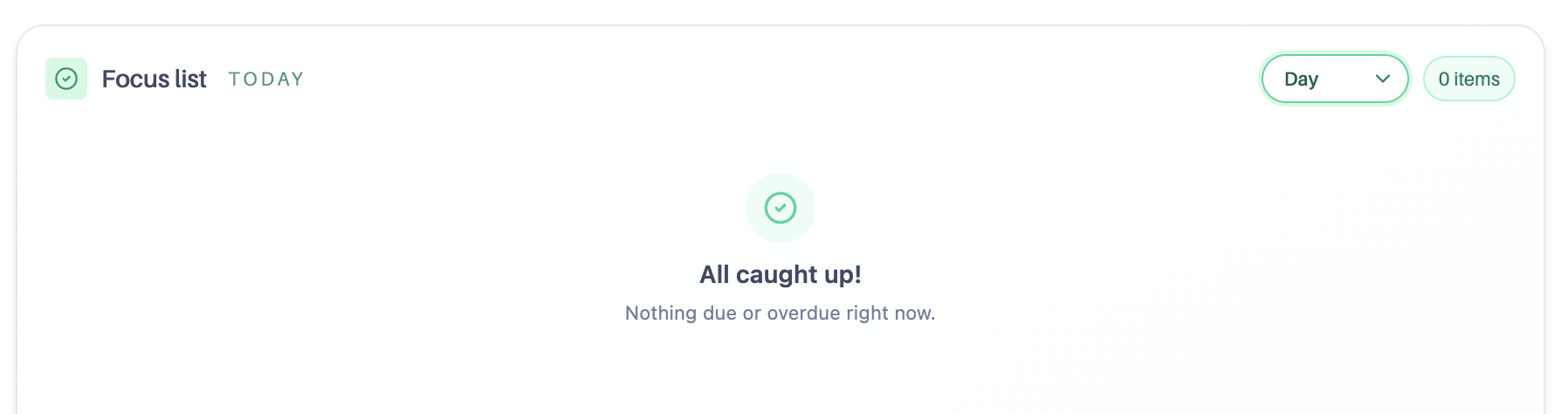
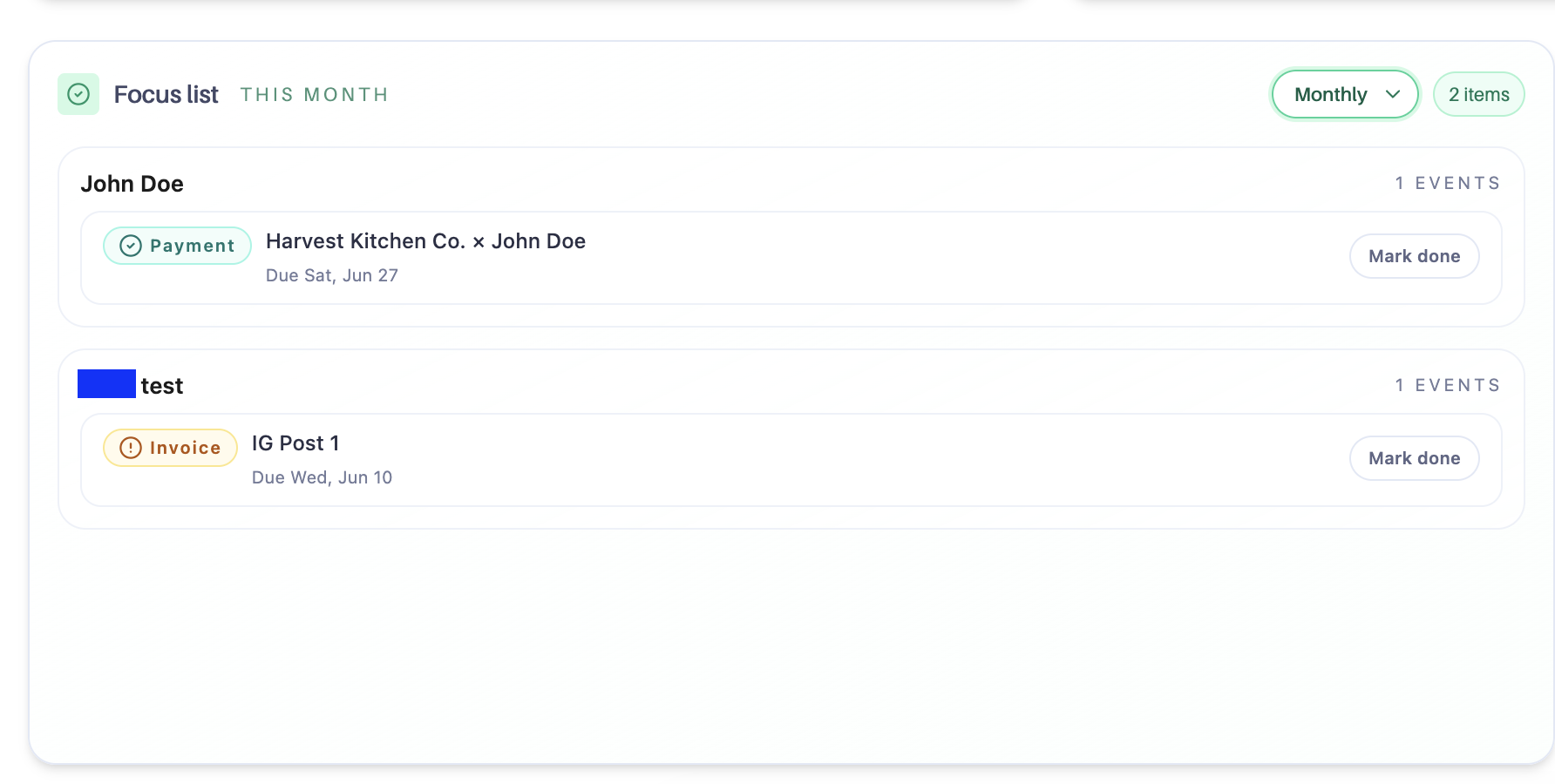
The Manager Focus list now includes a dropdown with Day, Weekly, and Monthly views.
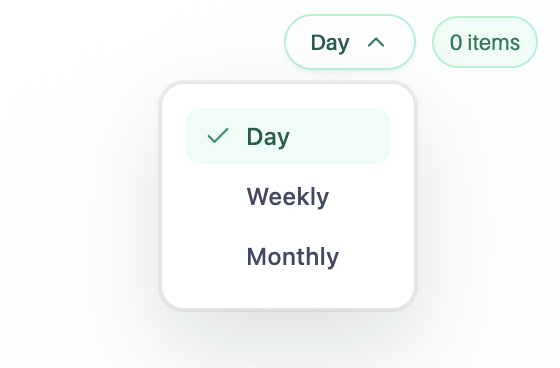
Day shows today’s focus items and overdue work.
Weekly shows all events scheduled for the current week.
Monthly shows all events scheduled for the current month.
Why It Matters
These updates make it easier for teams to stay informed, plan work at the right level of detail, and keep track of creator deadlines without extra friction.